Start your 30-day free trial of Karsa.ai.
Submit your online store URL, Google Ads Customer ID, and product XML feed URL. Inspect how Karsa.ai segments your product catalog in the Portal — nothing changes in your account until you map the supplemental feed in Google Merchant Center.
-
Approve Google Ads link invitation We create your project in the Karsa.ai Portal, import your product XML feed, and send a read-only link request to your Google Ads Customer ID.
-
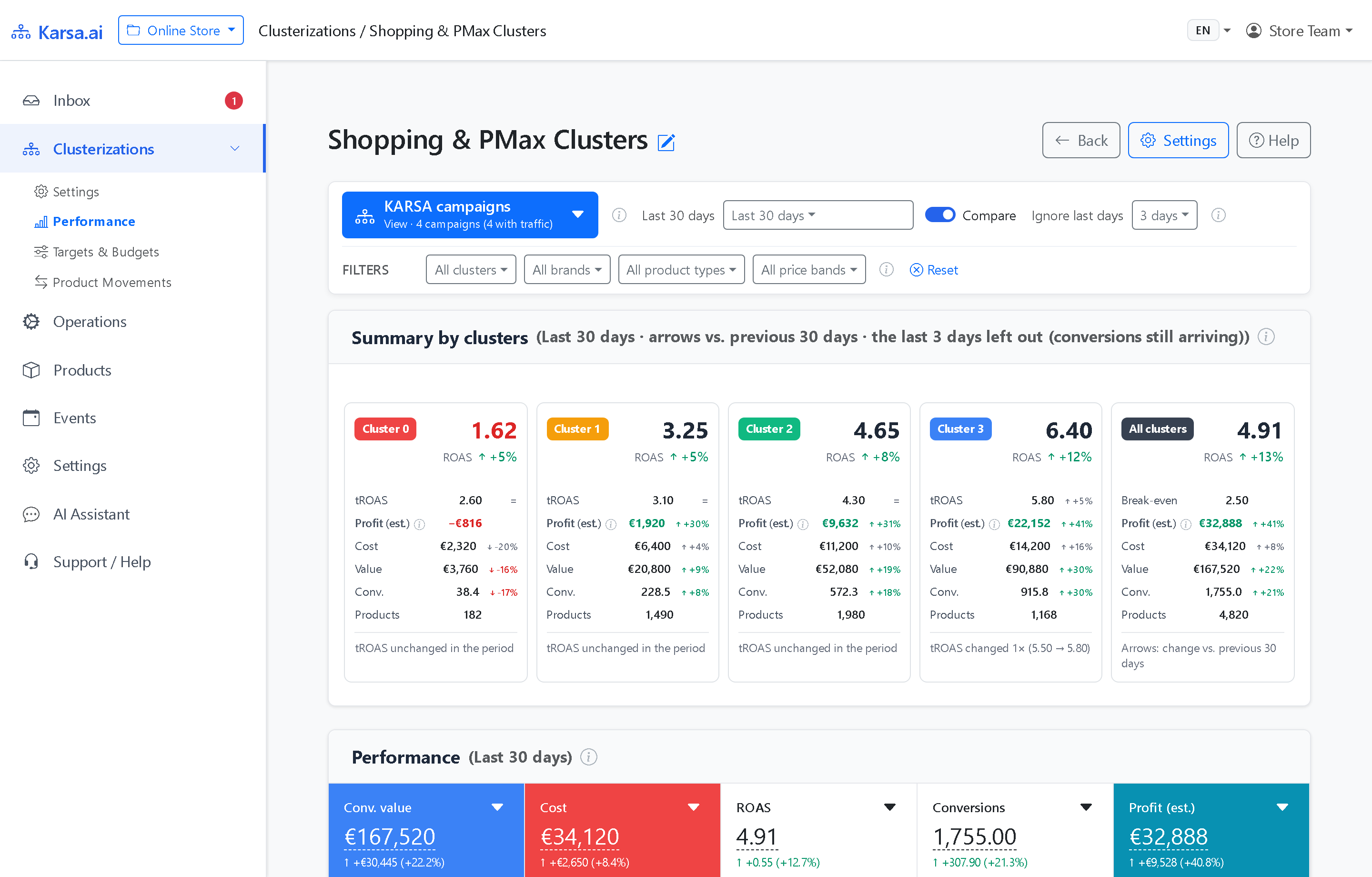
Model training & portal access by email (usually 1–2 days) Once you approve the Google Ads link, Karsa.ai trains the predictive model on your catalog (typically 1–2 days depending on catalog size) and emails you when your project is ready in the Portal.
-
30 days live via Merchant Center supplemental feed No credit card upfront and zero changes to online store code.
Already received your portal login? Sign in at admin.karsa.ai →
Create your trial project
Provide your online store URL, Google Ads Customer ID, and product feed URL to begin.
How Karsa.ai trial onboarding works
Submit Google Ads ID & approve link invite
Submit your online store URL, 10-digit Google Ads Customer ID, and product XML feed URL above. Karsa.ai creates your project and sends a read-only Google Ads link request for one-click approval.
Model training & portal login delivery
After you approve the Google Ads link, Karsa.ai imports your product catalog and historical performance, trains the predictive model (usually 1–2 days depending on catalog size), and emails your Karsa.ai Portal access.
Link Merchant Center supplemental feed for 30 days
When ready to test live, paste your hosted Karsa.ai supplemental XML feed URL into Google Merchant Center and filter your Shopping or PMax campaigns by custom_label.
30-day free trial FAQ
What happens after I submit the trial form?
First, Karsa.ai creates your project in the Portal, sends a read-only Google Ads link invitation to your Google Ads Customer ID, and starts importing your product XML feed. Second, once you approve the link request in Google Ads and Karsa.ai finishes training your catalog model (usually within 1–2 days depending on catalog size), we email your Karsa.ai Portal ready notification.
How long does model training take?
Model training usually takes 1–2 days after you approve the Google Ads link invitation, depending on the size of your product catalog. As soon as training is complete, we notify you by email so you can inspect your segments in the Karsa.ai Portal.
Does connecting our Google Ads account change anything in our live campaigns?
No. Karsa.ai only reads your product XML feed and historical Google Ads metrics. Nothing changes in your Google Ads or Merchant Center account unless and until you map the Karsa.ai supplemental feed in Google Merchant Center.
Do we need a credit card upfront, and when do I fill in an agency code?
No credit card is required to review your clusters in the Karsa.ai Portal or run your 30-day free trial. If your store works with a partner PPC agency, you can optionally enter their agency code when registering.