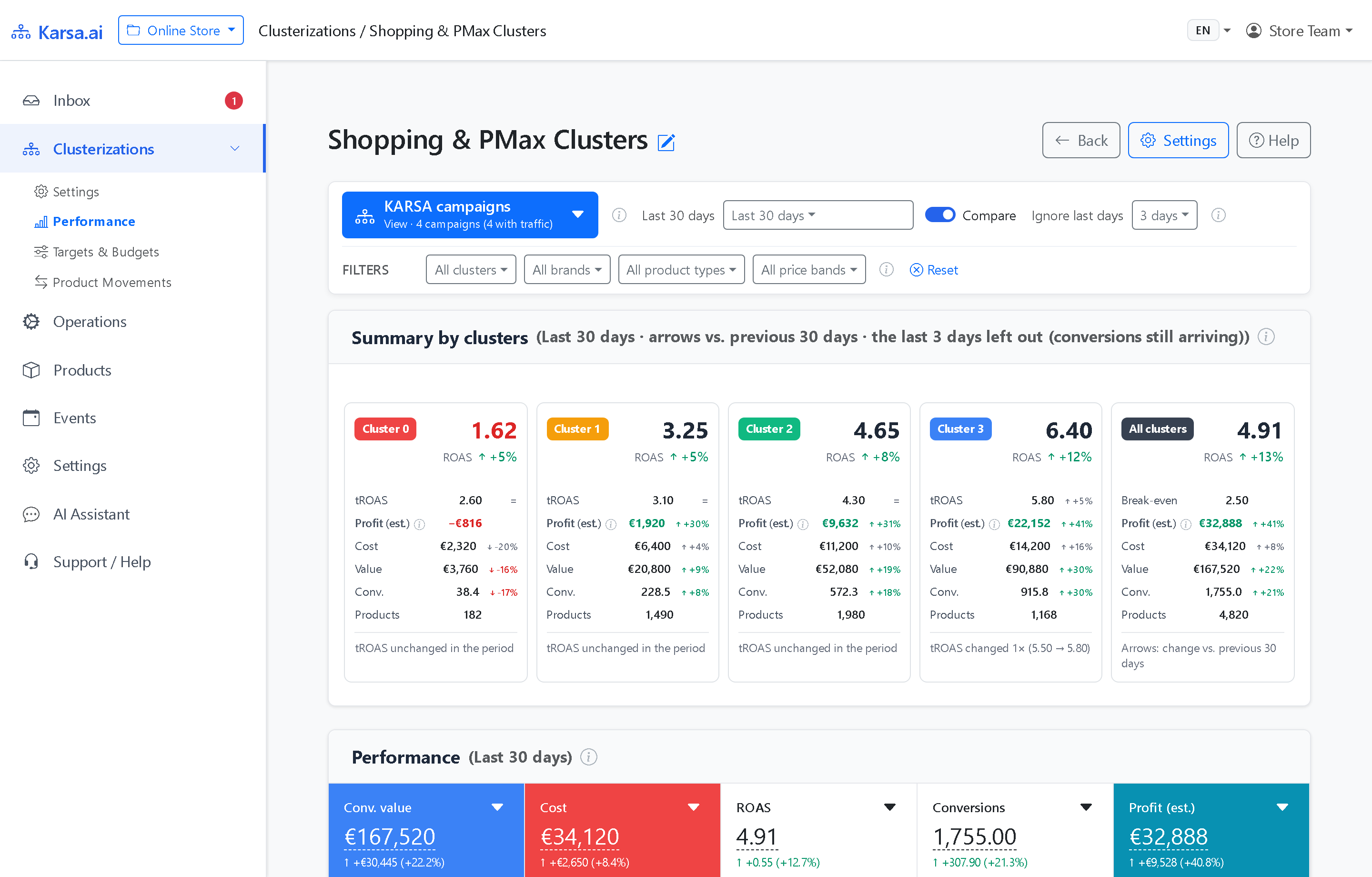
Why one all-products Performance Max campaign misallocates catalog spend
Google Performance Max is effective at scaling proven winners, yet placing an entire 30,000-SKU catalog inside one PMax campaign creates three well-known operational blind spots:
- Asset groups share one budget and one Target ROAS: Creating five asset groups inside one PMax campaign does not isolate ad spend or bidding targets.
- Blended campaign averages mask zero-conversion spend: High ROAS on branded or top-1% product queries masks continuous exploratory spend on
C1andC0items. - Uncontrolled non-Shopping inventory on weak SKUs: Weak products left inside a full-asset PMax campaign can absorb remarketing, Display, and YouTube impressions without generating incremental margin.
Three proven PMax campaign architectures with Karsa.ai
Karsa.ai writes cluster assignments into a Google Merchant Center custom_label and supports parallel setups per workspace. Your team can deploy whichever PMax setup fits your account:
| Architecture Pattern | Top Clusters (C4, C3) |
Mid Cluster (C2) |
Weak & Loss Clusters (C1, C0) |
Best For |
|---|---|---|---|---|
| A. Multi-Campaign Feed-Only PMax | Dedicated Feed-Only PMax per cluster | Dedicated Feed-Only PMax | Capped Feed-Only PMax | Pure Shopping PMax accounts wanting separate Target ROAS & budgets |
| B. Full-Asset PMax | Full-Asset PMax per cluster | Full-Asset PMax | Feed-Only PMax (daily budget cap) | Brands using PMax video/display creatives only on proven winners |
| C. Hybrid PMax + Standard Shopping | PMax on top clusters | Standard Shopping or PMax | Standard Shopping (tight daily cap + high tROAS) | Maximum control over weak SKUs with zero Display leakage |
Protecting PMax stability with ≥30 conversions/30d and the Fluidity Manager
Over-segmenting PMax into 15 tiny campaigns fragments conversion volume below Google’s bidding threshold. Karsa.ai prevents fragmentation automatically:
- Conversion-calibrated cluster count: Karsa.ai sizes the number of clusters (
3,5,8, etc.) so every active PMax campaign maintains at least 30 conversions per 30 days. - Controlled Listing Group transitions: The Fluidity Manager approves or blocks reassignments, cutting daily SKU moves by 31% to 51% across production stores.
Frequently asked questions
Is splitting PMax into multiple asset groups inside one campaign enough?
No. Asset groups inside a single PMax campaign still share one campaign-level daily budget and one campaign-level Target ROAS. To assign separate daily budgets and distinct Target ROAS values to top vs. loss-making SKUs, Listing Groups must be split across separate campaigns.
Can we run PMax for top clusters and Standard Shopping for C1 and C0?
Yes. Many PPC specialists run Performance Max on top clusters (C3, C4) for full remarketing reach while placing C1 and C0 into tightly capped Standard Shopping campaigns so weak SKUs never trigger Display or YouTube spend.