Built for effortless onboarding and accurate profit calculation
No two online stores report Google Ads conversion value in the exact same way. One store sends tax-inclusive revenue, while another reports net order totals. Others push gross profit via Cart Data or keep rates in an ERP spreadsheet.
Karsa.ai supports five server-side modes plus custom profit formulas so your team deploys in minutes without developer work or GTM rewrites. You start with whatever data you already have and still compute exact net earnings and cluster break-even ROAS.
Five profit and margin calculation modes in Karsa.ai
| Calculation Mode | Input Source | Best For | Break-Even ROAS Precision |
|---|---|---|---|
| 1. Conversion Value (ROAS) | Google Ads conv_value with custom formula |
Stores optimizing revenue or already sending POAS to Google Ads | Account target baseline |
| 2. Global Margin % | Single store-wide % in Portal |
Fast Day-1 setup when SKU costs are not exported yet | Store-wide break-even floor |
| 3. XML Feed Margin (COGS) | Standard g:cost_of_goods_sold + g:price in primary XML feed |
Stores exporting wholesale cost in their Merchant Center feed | Exact SKU-weighted cluster break-even |
| 4. Individual SKU Margins (CSV) | Uploaded SKU, margin % CSV/TSV/TXT file or manual entry in Portal |
ERP exports where wholesale cost stays out of GMC | Exact SKU-weighted cluster break-even |
| 5. Profit from Google Ads | Google Ads Cart Data gross profit (GP) |
Advertisers already sending server-side COGS to Google | Direct Google Ads profit reconciliation |
Write custom profit formulas to match your exact tracking
Every mode under Settings → Profit Calculation includes an editable Formula field. Combine clear variables (CV, GP, margin, cost) with standard arithmetic operators (+ - * / ( )).
Write your own equation with variables CV, GP, margin, and cost, then verify via Show Calculation before saving.
CV - cost
For stores already sending gross profit directly to Google Ads.
CV * margin - cost
Quick start using a global %, uploaded CSV file, or XML COGS.
(CV / 1.21) * margin - cost
Removes VAT server-side without touching storefront checkout tags.
GP - cost
Reads native gross profit from Google Ads with automatic fallback.
This flexibility removes the usual onboarding blockers:
- Handle tax cleanly: Strip VAT right inside your equation (
(CV / 1.21) * margin - cost) or add a conversion divisor. Checkout scripts stay untouched. - Verify before saving: Click Show Calculation for an instant numeric preview of your formula. For XML COGS and Google Ads profit modes, Check Data measures coverage across your trailing 30-day revenue and exports missing product IDs to CSV.
- Safe file validation and category fallback: Uploaded
CSV / TSV / TXTfiles run through a pre-import validator with Replace or Merge options. New SKUs without an explicit entry inherit their product category’s average margin automatically.
Role of product margins versus predictive clustering
Sorting products into campaigns purely by gross margin mixes unequal items. A 60% margin product at 0.1% conversion rate behaves very differently in auctions from a bestseller at 4.5%.
In Karsa.ai, clustering and margin math have distinct, exact roles:
- Predicted product performance decides which cluster (
C1,C2,C3… or optionalC0) an item joins, keeping campaign behavior uniform. - Product margin sets break-even ROAS (
1 / rate), net earnings after ad spend, conversion thresholds, and optionalC0loss detection.
Server-side privacy and automatic cluster break-even updates
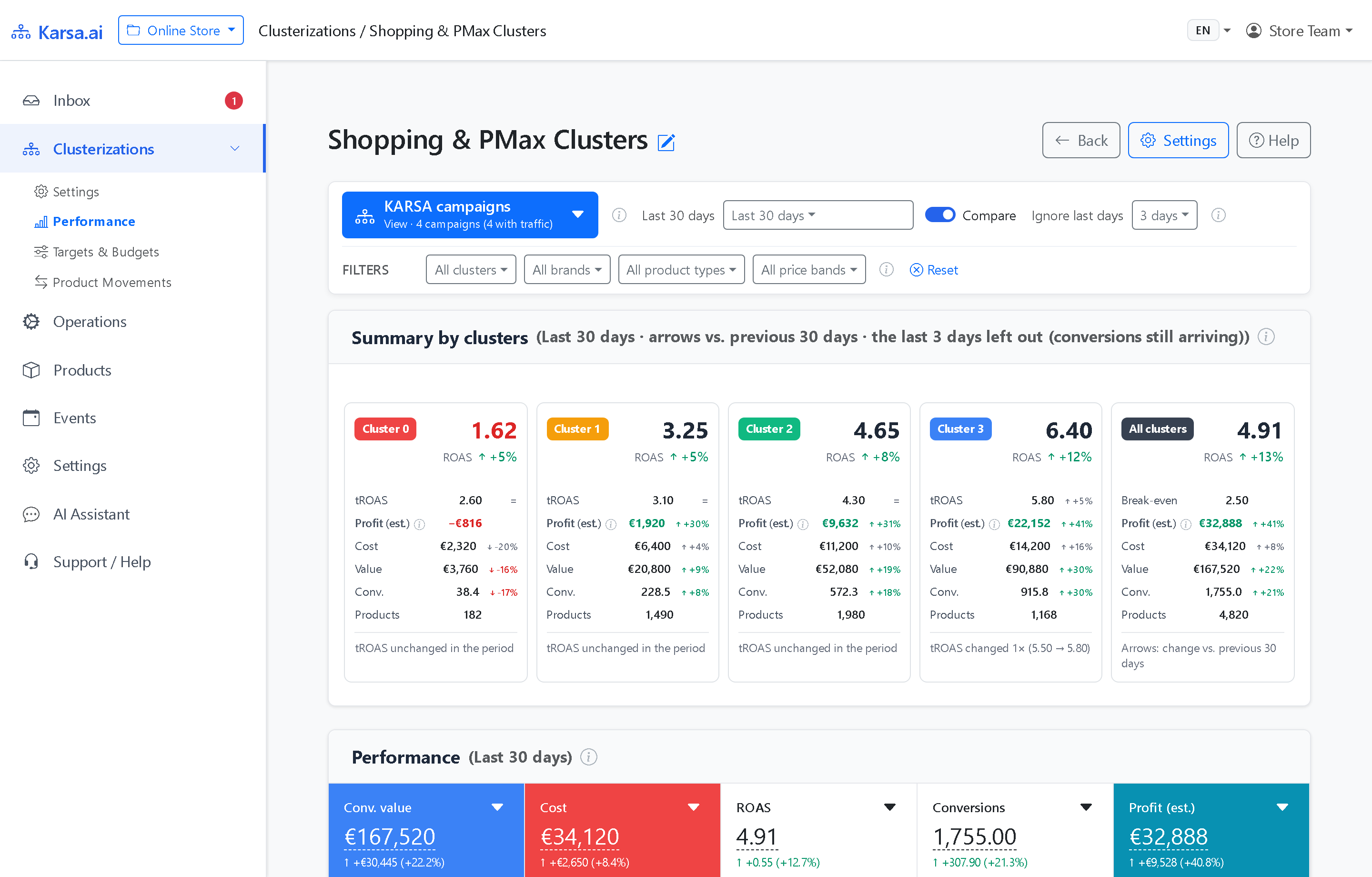
Karsa.ai calculates weighted margins across the exact SKUs inside each cluster every night. Your Cluster Summary and Targets & Budgets views therefore display the live break-even floor of every group (such as 2.50 at 40% net margin).
When wholesale costs shift or seasonal promos change XML prices, break-even floors update overnight. Storefront tags stay untouched, and shopper browsers never receive wholesale cost data.
Frequently asked questions
Why does Karsa.ai support five profit modes plus custom formulas?
Online stores report conversion value differently in Google Ads: some include VAT, some send net revenue, and some track gross profit directly. Supporting five data sources and custom formulas makes onboarding fast without forcing store IT changes, while still calculating accurate net earnings.
Does Karsa.ai expose our wholesale product margins in browser tracking scripts?
No. Client-side POAS tags risk leaking wholesale costs in browser requests. Karsa.ai reads g:cost_of_goods_sold or uploaded CSV files on the backend inside your private workspace.
Can we start with a global margin percentage and switch to SKU-level CSV or XML COGS later?
Yes. Start your 30-day free trial with Conversion Value or a single Global Margin %. You can switch to XML g:cost_of_goods_sold, CSV SKU files, or Google Ads gross profit anytime without rebuilding campaigns.